Blame | Last modification | View Log | RSS feed
# Leaflet.GestureHandlingVersion 1.2.1Brings the basic functionality of [Google Maps Gesture Handling](https://developers.google.com/maps/documentation/javascript/examples/interaction-cooperative) into Leaflet.Prevents users from getting trapped on the map when scrolling a long page.**On Desktop**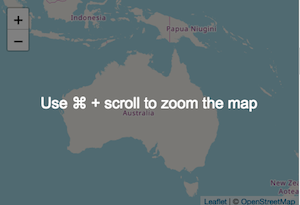- The map ignores the mouse scroll wheel.- The user is prompted to use ctrl+scroll to zoom the map.**On Mobile / Touch devices**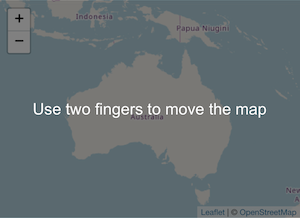- The map ignores single fingered dragging.- The user is prompted to use two fingers to pan the map.## Demo[View demo](https://elmarquis.github.io/Leaflet.GestureHandling/examples/)## InstallThe latest leaflet-gesture-handling can be downloaded from the dist folder.## UsageInclude the css and js file after leaflet.js.```html<link rel="stylesheet" href="css/leaflet-gesture-handling.min.css" type="text/css"><script src="js/leaflet-gesture-handling.min.js"></script>```Or load this directly from [UNPKG](https://unpkg.com):```html<link rel="stylesheet" href="//unpkg.com/leaflet-gesture-handling/dist/leaflet-gesture-handling.min.css" type="text/css"><script src="//unpkg.com/leaflet-gesture-handling"></script>```Set **gestureHandling: true** in your map initialization script.```jsvar map = L.map("map", {center: [-25.2702, 134.2798],zoom: 3,gestureHandling: true});```Or you can enable and disable this dynamically on an existing map with `map.gestureHandling.enable()` and `map.gestureHandling.disable()`.### Use as a moduleIf you are using a bundler such as Webpack or Parcel, you can load the library as a module. First install the module with:```shnpm install leaflet-gesture-handling```Then include the module and CSS in your source:```jsimport * as L from "leaflet";import { GestureHandling } from "leaflet-gesture-handling";import "leaflet/dist/leaflet.css";import "leaflet-gesture-handling/dist/leaflet-gesture-handling.css";```Then attach it as a handler to the map:```jsL.Map.addInitHook("addHandler", "gestureHandling", GestureHandling);const map = L.map("map", {center: [50.36, -4.747],zoom: 3,gestureHandling: true});```## Multi Language and Custom TextThe plugin will auto detect a users language from the browser setting and show the appropriate translation. 52 languages are supported without you needing to do anything.However if you wish to override this, you can set your own text by supplying **gestureHandlingOptions** and a **text** option as shown below. You must specify text for touch, scroll and scrollMac.```jsvar map = L.map("map", {center: [-25.2702, 134.2798],zoom: 3,gestureHandling: true,gestureHandlingOptions: {text: {touch: "Hey bro, use two fingers to move the map",scroll: "Hey bro, use ctrl + scroll to zoom the map",scrollMac: "Hey bro, use \u2318 + scroll to zoom the map"}}});```*Note: Earlier versions used a property called gestureHandlingText for this which still works.## Other OptionsTo pass in options use the property: **gestureHandlingOptions**.- **duration** : (int) time in ms before the message should disappear. default: 1000 (1 sec)```jsvar map = L.map("map", {center: [-25.2702, 134.2798],zoom: 3,gestureHandling: true,gestureHandlingOptions: {duration: 5000 //5 secs}});```## Useful infoGestureHandling disables the following map attributes.- dragging- tap- scrollWheelZoomThey are temporarily enabled for the duration the user scrolls with ctrl+mousewheel or uses two fingers to pan the map on mobile.## Compatibility with other pluginsI have added compatibility with [Leaflet-MiniMap](https://github.com/Norkart/Leaflet-MiniMap). It allows the user to still pan around the minimap with a single finger.If there's any other plugins you'd like this to work with, let me know or submit a pull request.## LicenseMIT